

Feature

llms.txt

Reach OS creates and maintains your llms.txt, a structured guide that shows AI systems which content on your domain matters.

Who it is for

Websites with many subpages, where AI systems would otherwise have to guess what counts.

Outcome

AI systems find your most important content without searching the whole site.

Why

AI systems should not have to guess.

The llms.txt tells AI systems in one file what matters on your domain.

No guide

Without a guide, AI systems have to search your entire domain and decide for themselves which pages are relevant. Important content gets lost, side issues get cited.

One file, clear structure

Reach OS places a structured file at /llms.txt that names your company, your offers and the most important pages. The file is kept up to date in the background when your site changes.

Process

How it works

01.

Capture pages

Reach OS reads your domain and detects which pages describe your company, your offers and your most important content. This forms the outline of the file. You do not have to prepare anything.

02

Generate the file

From the outline the llms.txt is created with a short description and links to the most important pages. The format is simple and easy for machines to read. It is delivered at /llms.txt.

03

Keep it current

When your pages change, Reach OS adjusts the file in the background. You do not maintain a second list by hand. The file stays in step with your site.

Benefits

Why it pays off.
Three benefits you notice in everyday work.

Clear priority

You steer which pages AI systems read first.

No maintenance effort

The file is kept up to date automatically.

Readable for machines

Simple text format that any AI system can read without rendering.

Test Reach OS on your domain.
Free check in 30 seconds. No sign-up.

Check for free now

"We show up right away when people ask ChatGPT, Claude or Google where they can sell their motorcycle in Munich."

Florian Alt

Managing Director, Motorradankauf München

#1

in all AI assistants

+230% inquiries

through AI-generated answers

-20% ad budget

for Google and agencies

Technology

Under the hood. Four technical details you can verify.

# Example Inc.

> Tax advice for trade businesses in Munich.

## Services
- [Bookkeeping](https://example.com/bookkeeping): Ongoing bookkeeping
- [Payroll](https://example.com/payroll): Payroll accounting
Located at /llms.txt

The file sits in the root directory of your domain and can be accessed without login.

# Name
> Short description in one sentence
## Section
- [Page](URL): Description
Structure in four parts

A title, one sentence about the company, then sections with links and one line of explanation each.

GET /llms.txt
status:   200
content:  present
Checked in the domain check

The free domain check tests whether a file with content exists at /llms.txt.

User-agent: GPTBot
Allow: /

User-agent: ClaudeBot
Allow: /
Aligned with robots.txt

The permissions in robots.txt and the entries in llms.txt point to the same pages.

Frequently asked questions

What is an llms.txt?
Does it replace robots.txt?
Where is the file located?
Is llms.txt a standard?
Do I have to write the file myself?
How do I check whether my domain has one?

Another feature

This fits well. A feature that complements this one.

Feature

FAQ Schema

Reach OS marks up question-answer pairs as FAQPage schema. This way your pages give AI systems ready-made answers that can be cited directly.

Discover feature

Feature

Entity Linking

Reach OS links your company via sameAs to Wikidata, Wikipedia and Google Business Profile and keeps name, address and phone identical everywhere.

Discover feature

Feature

Answer Structure

Reach OS rebuilds your content according to the answer-readiness principle: answer first, questions as headings, lists instead of running text.

Discover feature

Feature

Docs and Wiki Hub

The Docs and Wiki Hub is a knowledge area on a subdomain of your site. It answers your customers' questions in articles that AI systems can read directly.

Discover feature

Feature

Crawler Access

Reach OS sets explicit allow rules for GPTBot, ClaudeBot and PerplexityBot in your robots.txt. You decide who may read.

Discover feature

Feature

Domain Check

The Domain Check tests for free in about 30 seconds how well your domain is prepared for AI search. No signup, based on five signals.

Discover feature

Feature

Citation Monitoring

Reach OS regularly checks whether and how ChatGPT, Perplexity, Gemini and Copilot cite you, and adjusts content per platform.

Discover feature

Feature

Authority and Trust

Reach OS strengthens E-E-A-T on your site: visible authors, supported statements and consistent facts. This way an AI system rates you as a reliable source.

Discover feature

Feature

llms.txt

Reach OS creates and maintains your llms.txt, a structured guide that shows AI systems which content on your domain matters.

Discover feature

Feature

Edge Injection

Reach OS delivers schema, FAQ and llms.txt at the edge into the initial HTML. This way even AI crawlers without JavaScript see all the data.

Discover feature

Feature

Crawler Log

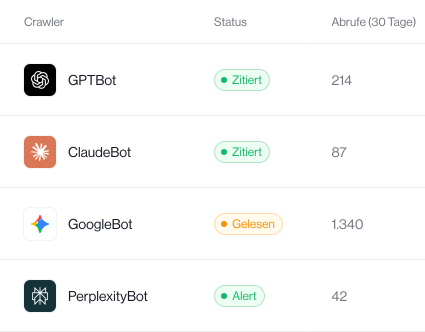
The crawler log shows you which AI crawler read which page and when, and what Reach OS delivered to it.

Discover feature

Feature

Schema Markup

Reach OS generates matching JSON-LD for every subpage, so AI systems can clearly attribute and cite your content.

Discover feature